

The Jabra Engage 50 II is promised to be the World’s best headset for clear customer calls, and ensures that no calls will ever be missed thanks to its SmartRinger feature.
Anyone who has worked in a call centre can agree, noise is a constant problem. It’s hard to keep noise under control when there are dozens of people on calls, all talking at the same time. There are aids that can assist, such as cubicles, but they’re not a guaranteed solution, and have their own downsides.
Another option available for Call Centre managers are headsets with good quality, noise reducing microphones and comfortable, light-weight ear speakers. But these are few and far between, with managers (or rather, their staff) forced to put up with compromises that are usually less than ideal.
Enter the Jabra Engage 50 II. So, does it hold up to the promises made by Jabra, and is it worth the price?
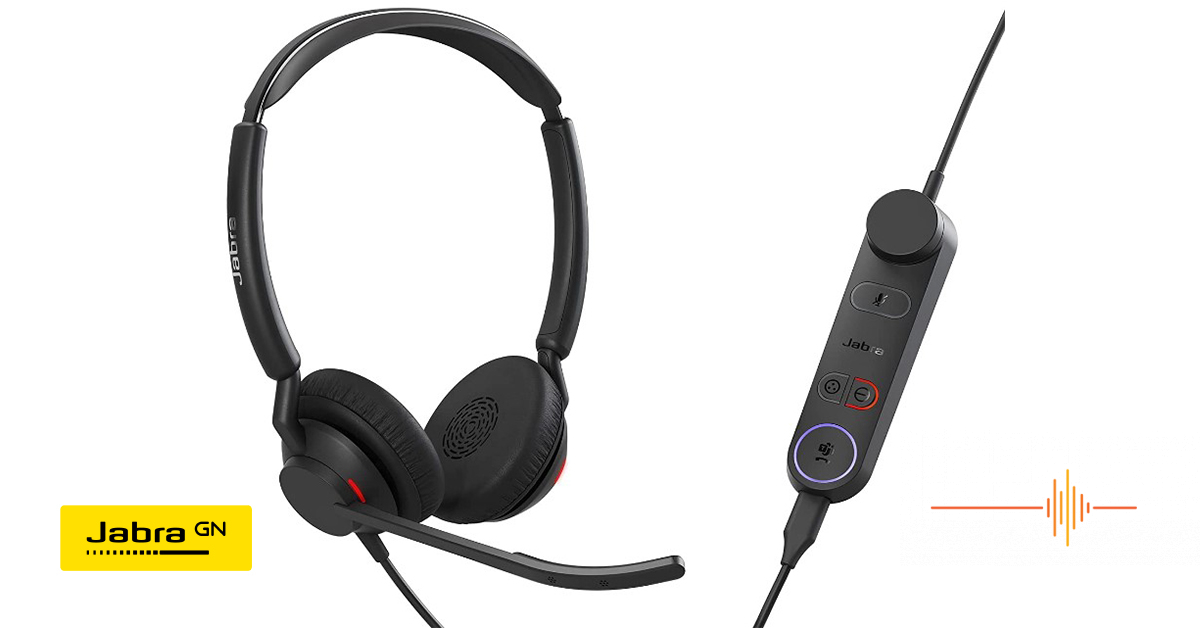
First impressions of the Jabra Engage 50 II
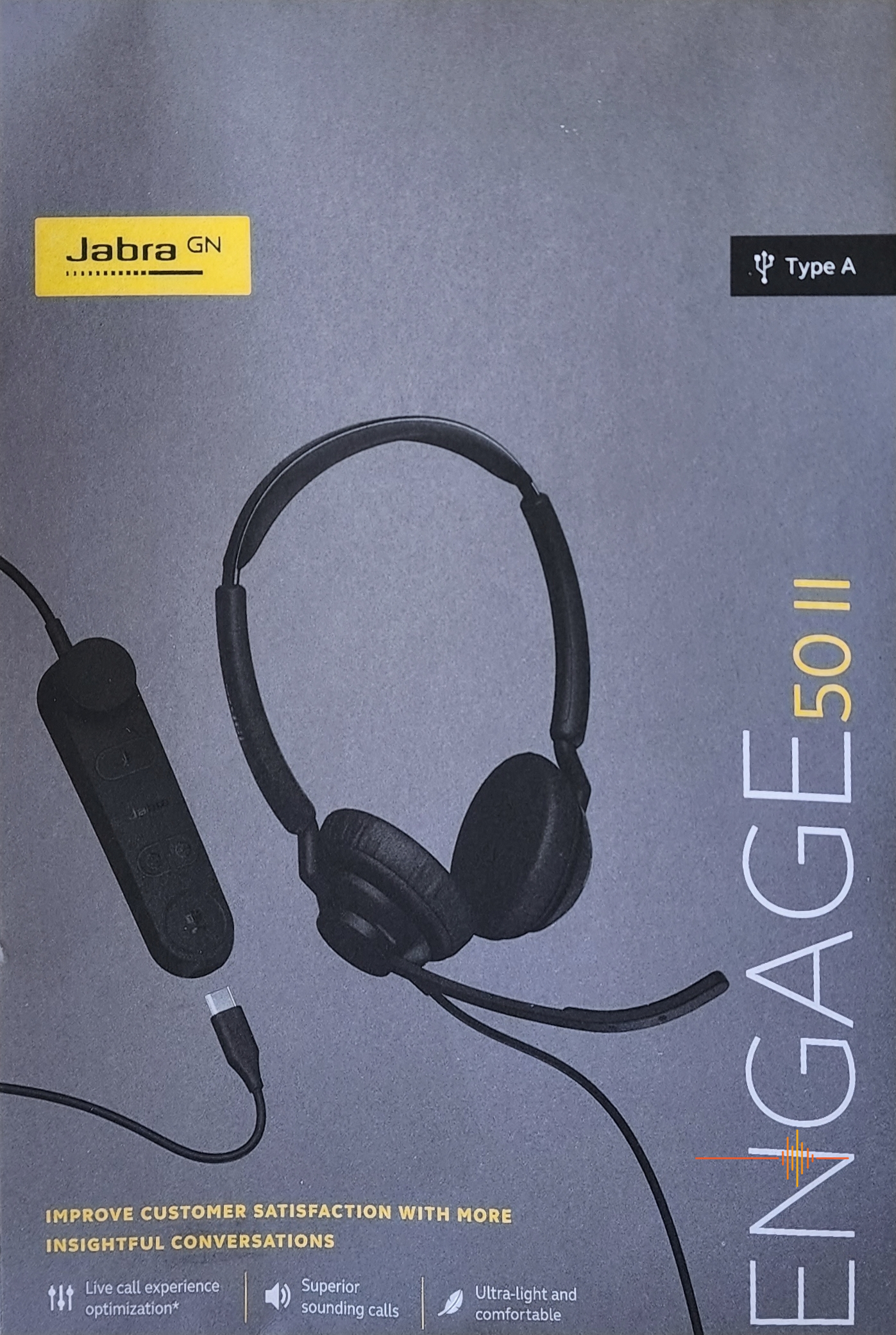
In several of my previous product reviews, I’ve stated how much I appreciate a plain, understated box design for tech products, and Jabra certainly delivers with the Engage 50 II. The box itself is plain grey, with a large picture of the headset as well as the USB connection type prominently displayed.
On the back of the box is a diagram with a quick reference guide for the various buttons and controls on the headset and dongle (if included with the variant purchased) and a guide to downloading the full user manual. (Also a note to register for 20% off your next Jabra purchase, subject to terms and conditions on the Jabra website.)
This is where I encountered the first (albeit minor) issue I had with the headset: the model I tested was the Microsoft Teams – Stereo Edition, with a USB-A connection. However, to my count there are over 12 different variants: A USB A, and USB-C Stereo version of the Microsoft Teams Edition, UC Edition, and Headset only version, along with a Mono variant of the same.
That’s a LOT of variants, and while the differences between the USB-A / USB-C and the Mono / Stereo variants are pretty evident (A different connector to the computer, and the addition of a second ear speaker for the stereo models) it took me a few minutes of reading the manual to actually identify what was different between the Teams and UC versions.
Also included in the box was a soft fabric carry pouch, which was a nice addition, and will help keep the headset free from damage and scratches if your call centre practices hot desking, with staff switching desks every shift.
Additionally, the Jabra Engage 50 II comes with a warranty that’s longer than what you’ll get on most headsets. Jabra gives you a market leading, full three years warranty, meaning more peace of mind, and less expense for out of warranty repairs or replacements after a year or two.
Certification
The Jabra Engage 50 II meets all the criteria in TCO Certification. Criteria for TCO Certification have a life-cycle perspective, and balance environmental and social responsibility. This is verified by independent and approved verifiers that specialise in IT products or other sustainability issues.
What is interesting is that verification is done both before, and after the certification is issued, covering the entire validity period. This process also includes ensuring that corrective actions are implemented in all cases of factory non-compliance.
While this certification doesn’t have any impact on the quality of the headset or its functionality, I’d like to give credit to Jabra for making the box out of 100% recyclable materials, and getting this certification. In this age when we’re becoming more environmentally conscious (especially as it relates to tech waste), it’s nice to see.
Getting started
The Jabra Engage 50 II is plug and play. You connect the headset to the dongle (unless you purchased the headset only variant) and then the dongle to your computer or laptop via USB-A or USB-C.
For me the Jabra Engage 50 II automatically became the default audio device, as I was testing it on my work laptop, but if you have other speakers also connected, you may have to play with the default options.
Jabra recommends you download and install the Jabra Direct, and Jabra Engage+ software, to support, manage, enable optimal functionality, and track real-time call insights for your Engage 50 II (even without doing this, the headset still worked perfectly fine) although some of the functionality listed would be of benefit, especially in a call centre environment assuming you weren’t already running software that tracks call insights.
I will also point out that the Jabra Engage 50 II can also be connected to some mobile phones (if you have the USB-C variant), although I will add the caveat that not all USB-C devices or apps support an audio connection with the Engage 50 II at this time.
Great comfort isn’t a given. It’s engineered.
Whether you’re working in a call centre environment, or a home office, if you have to wear a headset all day, then comfort is key.
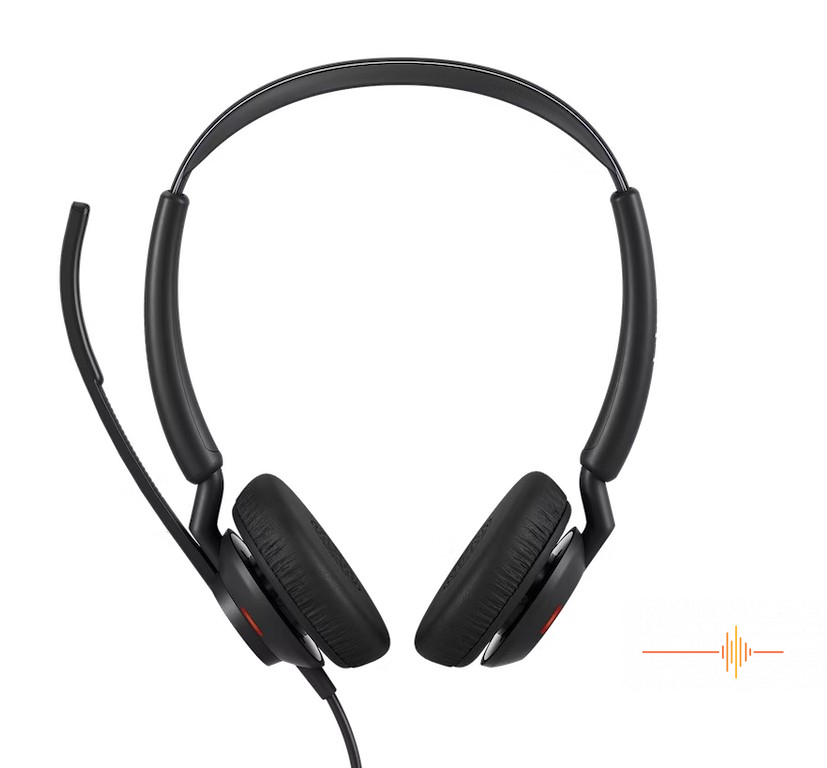
The headset itself is described as being fully adjustable. Both the stereo and mono headset variants allow you to rotate the microphone position, so it can sit on either your left, or the right side of your head according to personal preference.
It is also possible to reverse the left and right audio channels in the stereo headset, so if you happen to prefer the microphone on the alternate side you’re not going to have to put up with swapped audio channels as a result. (You will have to download Jabra Direct to do this however.)
Unfortunately, while it contains three high-quality microphones, the microphone boom itself is not flexible, so a user can not adjust the distance it sits from their face. I personally found myself missing this more than I thought I would, not because it noticeably affected the audio quality when I was speaking to someone, but because I was so used to being able to do so on my PC gaming headset that I found being able to see the microphone an annoying distraction.
Keeping with the traditional headset design, the headband is adjustable. The top portion of the Engage 50 II is a soft rubber, which ensures comfort while giving a longer lifespan than padded (or fake leather) bands that quickly breakdown with frequent use.
The noise-isolating ear cushions are extremely soft (and have replacements available on the Jabra website) which when coupled with the surprisingly lightweight of the headset itself – less than 70 grams – I found to be extremely comfortable wearing for the duration of a work day.
If I still had to wear a headset all day, I would certainly want one like the Engage 50 II in this regard.
Voice audio quality results
I compared the Jabra Engage 50 II to headsets I’ve previously used in call centre environments, and, (rather unfairly of me) also to my expensive top-end PC gaming headset.
That said, the voice audio quality of the Engage 50 II can only be described as exceptional. The people I spoke to during testing were treated to a crisp, clear call without background noise, static or interference. Exactly what you want whether you’re in a noisy call centre, or a home office environment.
The Engage 50 II incorporates technology for the best call experience. BalancedVoice dynamic range compression levels seek to improve voice quality and comprehension on every call, while the software support provides real-time feedback to get the best position for the microphone, and provides you with a visual guide that there’s an issue with background noise that the technology is incapable of overcoming (more on that in a second).
The Engage 50 II also incorporates a revolutionary professional-grade hearing protection built into the headset, with Jabra’s ‘IntelliTone 2.0’ which keeps average noise exposure at a safe level, and ‘PeakStop’ preventing sudden loud noises above 105 dB.
My testing involved calls while I intentionally had background office noise nearby (people talking, printers operating) and, being a home office, also included a barking dog, screaming teenagers, and a blender test (that is, I was on the call while someone turned on a blender in the same room – not that I put the headset INTO a blender.)
Once again, the Engage 50 II did an impressive job. The Engage 50 II successfully removed a lot of the background noise to the point it wasn’t even picked up by the person on the call – something that not all headsets can do.
One additional point here is the ability to activate, or deactivate ‘Sidetone’ during calls. Sidetone enables you to hear your own voice through the headset when speaking, which is extremely useful in situations when there’s a lot of background noise.
Features
Programmable Buttons
If you purchase the headset only, any controls (such as microphone mute or volume adjustment) would have to be managed through the computer, or the application on screen.
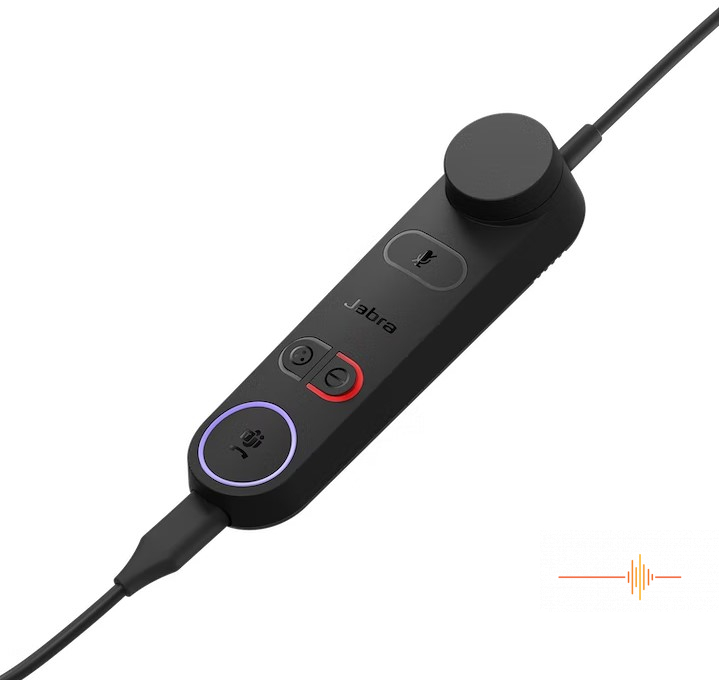
The Microsoft Teams and UC variants both come with a detachable inline controller Jabra has called the “Engage 50 II Link.” Along with volume controls, a mute button for the microphone, and an Answer / End call button, the Link also has a dedicated programmable button.
I would be remiss if I didn’t point out however, that ALL four of the buttons on the Link are reprogrammable using the Jabra Direct software, or a Jabra SDK integration. In effect this leaves only the volume control dial that cannot be reprogrammed.
The Engage 50 II Link uses coloured LED’s to indicate various things. For example, by default the mute button shows red when mute is active, yellow when a call is on hold, and pink when the headset firmware is updating.
The Link is also the primary difference between the Microsoft Teams and the UC variants. The Microsoft Teams variant also uses the Answer / End call button to open Microsoft Teams notifications. I’m still not quite sure why this is an entirely separate variant, and not something they allow users to program themselves into the Link if such functionality is required.
Smart Ringer
The Jabra 50 Engage II has a smart ringer. This can be enabled or disabled using the Link, and detects when the headset is lying flat, and will audibly play one of the three possible ringtones through the Jabra Engage 50 II Link’s built-in speaker when receiving a call, allowing you to hear incoming calls or other notifications, even if you are away from your desk.
This may be less useful in a call centre with dozens of staff, but was extremely helpful in the home office environment when I was expecting a call, and had popped out to make myself lunch.
Jabra Engage 50 II Link
One design element that I wish would be adopted across all headsets with these sorts of inline controllers – the base of the Link has a rubber base which prevents it from sliding around the desk or falling off. This means you don’t have to fish around for it when you want to (for example) turn on the microphone mute, or answer an incoming call.
Busy Light
Both the Microsoft Teams and the UC variants also have an extremely useful feature – a busy light.
From a personal perspective, it’s frustrating being interrupted when you’re concentrating on an important task, or in the middle of listening to a caller, only to have someone approach and try to engage you in conversation.
From a business management perspective, studies have shown that such interruptions can result in significant loss of productivity after such interruptions (taking as much as half an hour to regain peak productivity.)
Enter the busy light. This can be activated by the operator using a button on the inline controller, and turns on two LEDs on the exterior of each ear speaker, showing everyone around, regardless of angle, you that you’re on a call, or not wanting to be interrupted at that time.
Software
Of course, being a Jabra product, there’s also significant software support that’s designed to customise your product, and get the most out of your device. With a total offering of three different software packages for the Engage 50 II, dependent on your needs.
Jabra Direct
Jabra Direct is software designed to support, manage, and enable optimal functionality for your Jabra devices. It is also used to update firmware, and to customise various features like Sidetone, hearing protection, and remote call answering.
Jabra Xpress
Jabra Xpress is designed to manage, update and maintain multiple Jabra devices.
Jabra Engage+
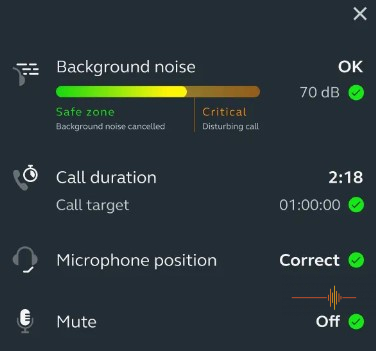
Jabra Engage+ is software designed to track real-time call insights. For example, it gives you instant feedback on room noise decibels and whether noise has reached critical levels. You can also view call duration, microphone positioning, mute status and more.
Verdict
While the Jabra Engage 50 II aren’t the cheapest available wired headset available, the price is entirely justifiable when looking at the products build, quality and functionality. The Engage 50 II is packed with a ton of useful features and hidden functionality that you won’t find on the majority of cheaper products.
If you’re looking for a high-quality headset for your call centre or home office, you should definitely look at Jabra’s Engage 50 II. In all regards it is an impressive USB wired headset. The RRP is from AUD$379, but you may find yourself a deal on Amazon at $100 cheaper.
Like the Elite Active 4 Airbuds that I’ve previously reviewed, Jabra have hit on a winner with the Engage 50 II, and this headset will definitely become part of my regular workplace usage.
I’d like to thank Jabra for providing me with the Engage 50 II – Microsoft Teams Edition.